How to Calculate Credit-Weighted CGPA Across Semesters
To combine semesters with different credit loads, multiply each semester GPA by its eligible credits, add those weighted points, and divide by the combined eligible credits. A simple average gives the wrong answer when the credit loads differ.
Start with the grading rule and the right credits
Collect the semester grade sheets, the programme’s grade-point scale and the academic regulations for your admission batch. Identify the courses included in the official cumulative calculation before doing the arithmetic. Registered credits, earned credits and credits used for CGPA may differ when there are failures, audit courses, exemptions or transfers.
St. Xavier’s University, Kolkata describes SGPA as a semester credit-point average and CGPA as the corresponding programme-wide average. Its published calculation page reports both to two decimal places. This is an official example of credit weighting, not permission to apply its course-inclusion or rounding policy to another university.
Official reference: St. Xavier’s University, Kolkata: Calculation of SGPA and CGPA (updated July 29, 2026)
Credit-weighted CGPA formula
For each eligible course, multiply its numeric grade point by its credits. Add these products to get total weighted grade points. Divide by the credits attached to those same included courses. Credits must appear consistently in both the numerator and denominator.
When a semester GPA summarises exactly the courses your cumulative rule includes, its weighted contribution is semester GPA × semester credits. You can combine these contributions instead of entering every course. If the SGPA and CGPA inclusion rules differ, rebuild the cumulative result from the eligible course records.
CGPA = Σ(course credits × grade points) ÷ Σ(course credits). For compatible semester totals: CGPA = Σ(semester GPA × semester credits) ÷ Σ(semester credits).
Worked example: semesters with unequal credits
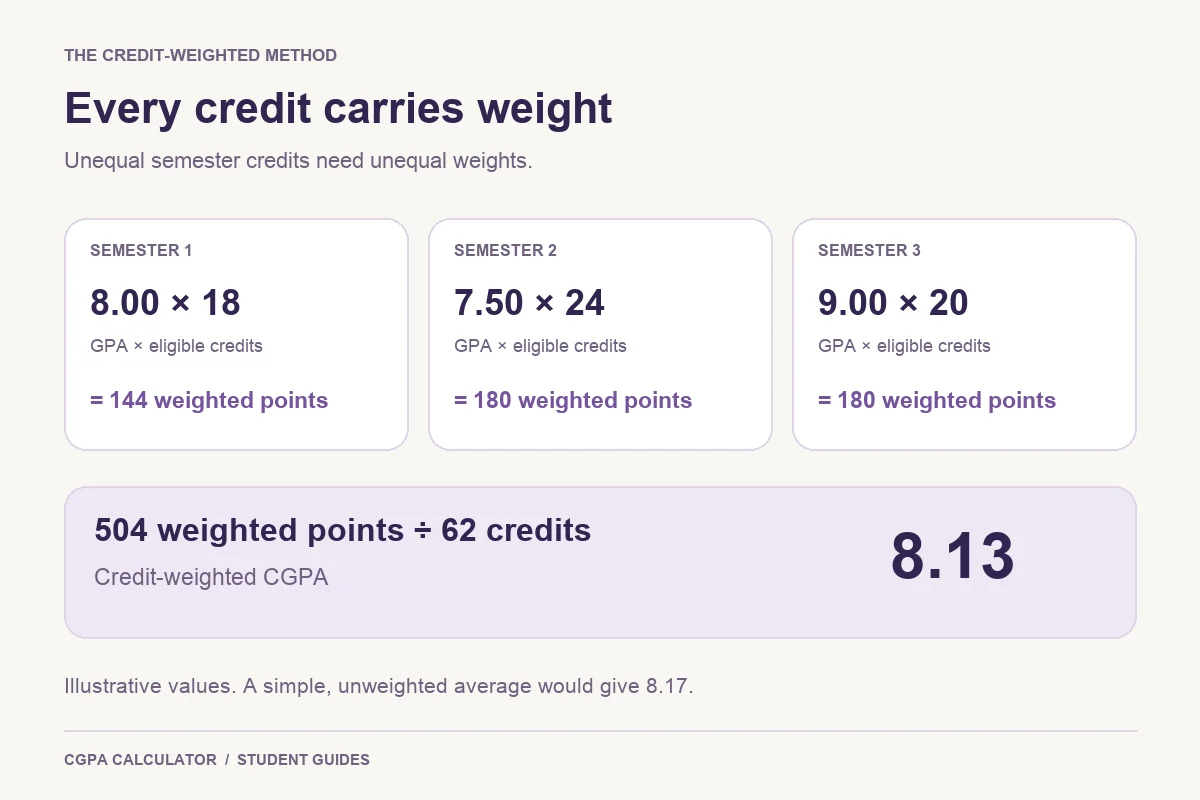
Suppose Semester 1 has GPA 8.00 across 18 eligible credits, Semester 2 has GPA 7.50 across 24, and Semester 3 has GPA 9.00 across 20. These are invented values on a ten-point scale, with all listed credits assumed eligible.
| Semester | GPA | Credits | Weighted points |
|---|---|---|---|
| 1 | 8.00 | 18 | 144 |
| 2 | 7.50 | 24 | 180 |
| 3 | 9.00 | 20 | 180 |
| Total | — | 62 | 504 |
504 ÷ 62 = 8.129032… → 8.13 when rounded to two decimal places.
A simple average would be (8.00 + 7.50 + 9.00) ÷ 3 = 8.166666…, or 8.17. That treats an 18-credit semester as equally influential as a 24-credit semester. A simple average is equivalent to credit weighting only when the included semester credit totals are equal.
Check the method with individual subjects
For a smaller example, take a four-credit course at 9 grade points, a three-credit course at 8, and a one-credit course at 10. Their weighted contributions are 36, 24 and 10. The total is 70 points across 8 credits, so the average is 8.75.
The unweighted mean of the three grades is 9.00. The one-credit course should not have the same influence as the four-credit course. Use the official mapping from letter grades to points; do not enter 85 marks as though it were 8.5 grade points.
Calculate a credit-weighted GPA from subject grades and edit the grade-point mapping to match your institution. The current tool accepts a zero-to-ten point scale.
Add a new semester to your previous CGPA
You can use the previous-CGPA fields when you know the cumulative GPA and the credits behind it. Suppose your existing CGPA is 7.80 over 60 eligible credits and your next semester is 8.50 over 20 credits. Existing weighted points are 468 and new points are 170. The updated CGPA is 638 ÷ 80 = 7.975, or 7.98 under ordinary two-decimal rounding.
In the calculator, enter 7.80 as Previous CGPA and 60 as Previous credits, then enter only the new semester’s subjects. Do not also enter those earlier subjects as new rows. The result is a planning estimate if 7.80 was already rounded on the transcript; original unrounded credit-point totals can produce a different final hundredth.
Plan the GPA needed for your target CGPA after checking that your previous and remaining credits use the same inclusion basis.
Keep semester history without counting credits twice
The Semester History tool combines the semester GPA and semester credits saved from the calculator. The previous-CGPA fields are not added again to each saved semester. To reproduce a full programme in history, save each semester once; do not save the same semester repeatedly or assume that a previous cumulative total has also been stored.
Save a PDF, print the result or download an image when you need a snapshot. Share only the values you intend to disclose. Browser history records stay in that browser and are not a university transcript or an account backup.
Why your calculator result may differ from the marksheet
Check course inclusion, repeat attempts, the grade-point mapping, transferred credits and the precision of the input GPA before assuming the official result is wrong. The IIIT-Delhi May 2024 B.Tech. regulations, for example, treat F differently in SGPA and CGPA. Under such a rule, averaging the displayed SGPAs with ordinary semester totals may not reconstruct the official cumulative result.
Our general calculator includes an entered F as zero points with its entered credits. It does not automatically apply university-specific exclusions or replace retake grades. If your official policy differs, prepare an eligible-course list and use the calculator only when that list and grading scale can be represented correctly.
Official reference: IIIT-Delhi: B.Tech. Regulations, May 2024, sections 6.5–6.6 (repeat improvement and performance indicators)
Credit-weighted CGPA questions
Check the CGPA-to-percentage tool and conversion guidance
Can I calculate exact CGPA using only semester GPAs?
Only when you also know the matching eligible semester credits and the averages use the same inclusion rules. Rounded GPAs can introduce a small difference from the official calculation.
Are credits the same as marks?
No. Credits give a course its weight in the model; marks describe assessment performance. Use the numeric grade point assigned under your university’s grading rules.
Can I multiply this CGPA by 9.5 to get a percentage?
Only if the applicable official conversion rule says so. Percentage conversion is a separate step and may vary by programme or batch.
Try the cgpa calculator
Enter your own values below, or open the full cgpa calculator page for its complete usage guide.
Official calculation references and scope
Reviewed on October 29, 2026.
Worked examples use simplified calculation models. Check your institution’s current regulations, grading scale, rounding rules and official records before relying on a result.