FREE STUDENT CALCULATORS
Syllabus Progress Tracker
Record how much of each topic you have covered and give larger topics a proportionate weight. See progress by subject and overall, alongside an exact count of topics marked complete.
Choose consistent weights, such as estimated study hours, and update progress from 0 to 100 as work is completed. Equal weights give every topic equal influence. Weighted coverage reflects your entries; it does not measure recall, exam performance or official syllabus completion.
Use the syllabus progress tracker
How to use the syllabus progress tracker
- Enter the subject and topic name for each part of your syllabus.
- Assign a positive relative weight using one consistent unit across all subjects. Use 1 for every topic if equal weighting is appropriate.
- Enter progress from 0 to 100 for each topic. Only 100% counts as a completed topic.
- Review each subject’s weighted progress, overall progress and the completed-topic count.
- Save locally to return later, or download PDF or PNG, print the report or share a preview.
Formula and calculation method
Weighted progress (%) = sum(topic weight × topic progress %) ÷ sum(topic weights). Completed-topic count includes only topics entered at exactly 100%.
Worked example
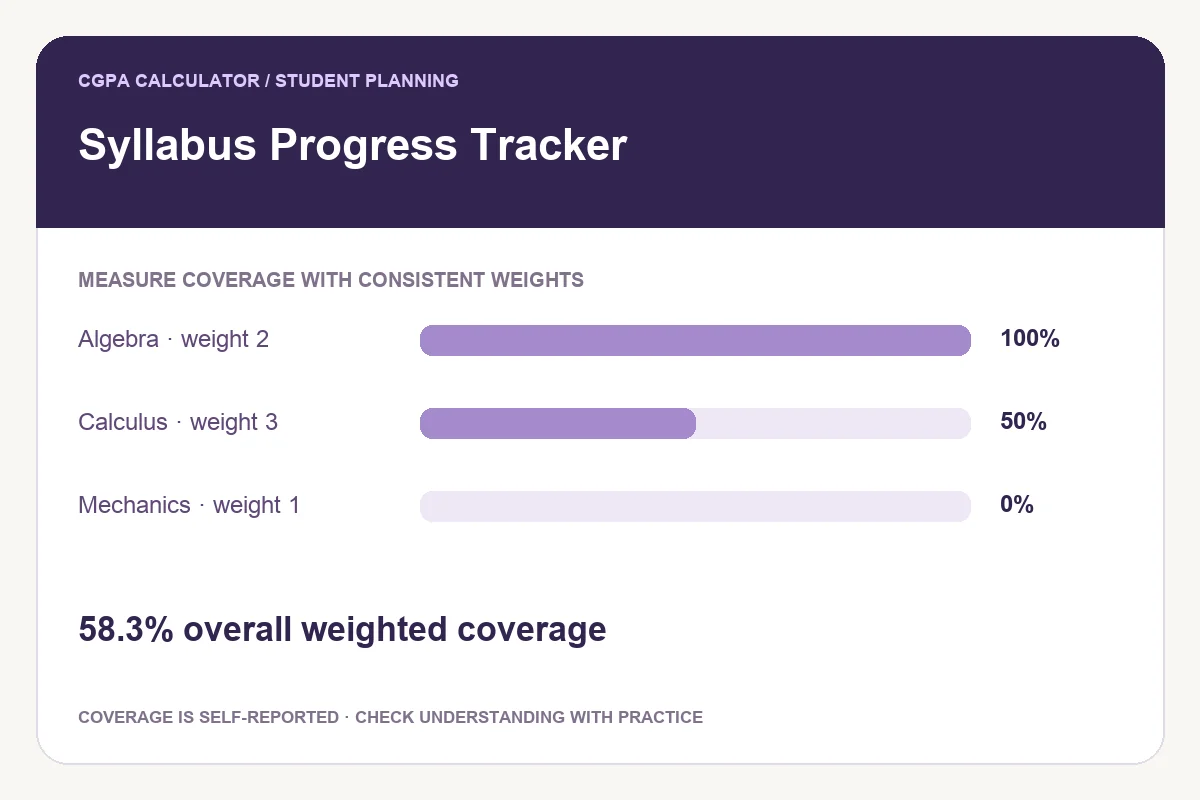
A topic with weight 2 is 100% complete, a topic with weight 3 is 50% complete, and a topic with weight 1 is 0% complete. Overall progress = (2×100 + 3×50 + 1×0) ÷ 6 =58.3%. Only one of the three topics is fully complete.
Choose weights that mean the same thing
Using study hours for one subject and exam marks for another mixes different units and produces a misleading total. Pick one basis for the whole plan. If you are unsure about relative size, use equal weights and treat the result as a topic-coverage checklist.
Coverage and readiness answer different questions
Reading a chapter can increase coverage without proving that you can solve its questions unaided. Keep your progress entries tied to a clear personal definition, then use self-testing to check understanding. A high coverage percentage is not an exam-score prediction.
Keep the tracker current
Break large chapters into manageable topics and review your estimates each week. Changing a topic’s weight changes its influence on the total, so keep weights reasonably stable when comparing progress over time. Use the revision planner to turn remaining work into dates.
Save, download and share
Save keeps this tool’s entries in the current browser; it does not synchronise them online. Export a complete PDF or printable report for a portable copy. PNG exports can become a labelled preview for very long plans. Share starts with the tool link and includes your subjects and topics only if you choose to add the current plan.
Frequently asked questions
Why is the overall percentage different from the average of subject percentages?
Subjects can have different total weights. The overall result uses all topic weights, not an unweighted average of the subject percentages.
Can I use the tracker without weights?
Set every topic’s weight to 1. Each topic then contributes equally to the overall percentage.
Does 100% mean I will score full marks?
No. It records your stated coverage. Assessment performance also depends on understanding, recall, practice and the exam itself.
These tools provide planning estimates. Your institution’s current academic regulations, grading policy and official records take priority.