FREE STUDENT CALCULATORS
Exam Revision Planner
Allocate estimated revision time before each exam without hiding an overloaded plan. Enter topics, deadlines and daily study capacity to see a dated schedule and any minutes that cannot fit.
The planner orders topics by the earliest exam; a higher priority breaks ties on the same exam date. It rotates topics in study blocks of up to 45 minutes until that day’s capacity is used. Exam day itself is excluded. This transparent allocation is a starting point, not an assessment of readiness or a scientifically optimal schedule.
Use the exam revision planner
How to use the exam revision planner
- Choose the first revision date and your daily capacity in study minutes, excluding breaks.
- Add each topic, its exam date, estimated remaining study minutes and priority. Exams must be 1–90 days after the start date.
- Review the generated dated sessions. Earlier exams come first; priority breaks ties between equal exam dates.
- Check the unallocated workload. Start earlier, reduce scope or adjust a realistic daily capacity when work does not fit.
- Use recall or practice questions during sessions, revisit weak areas, and save or export the plan after updating your estimates.
Formula and calculation method
Daily scheduled minutes never exceed the entered daily capacity. Only dates before a topic’s exam are eligible. Unallocated minutes = requested topic minutes − scheduled topic minutes.
Worked example
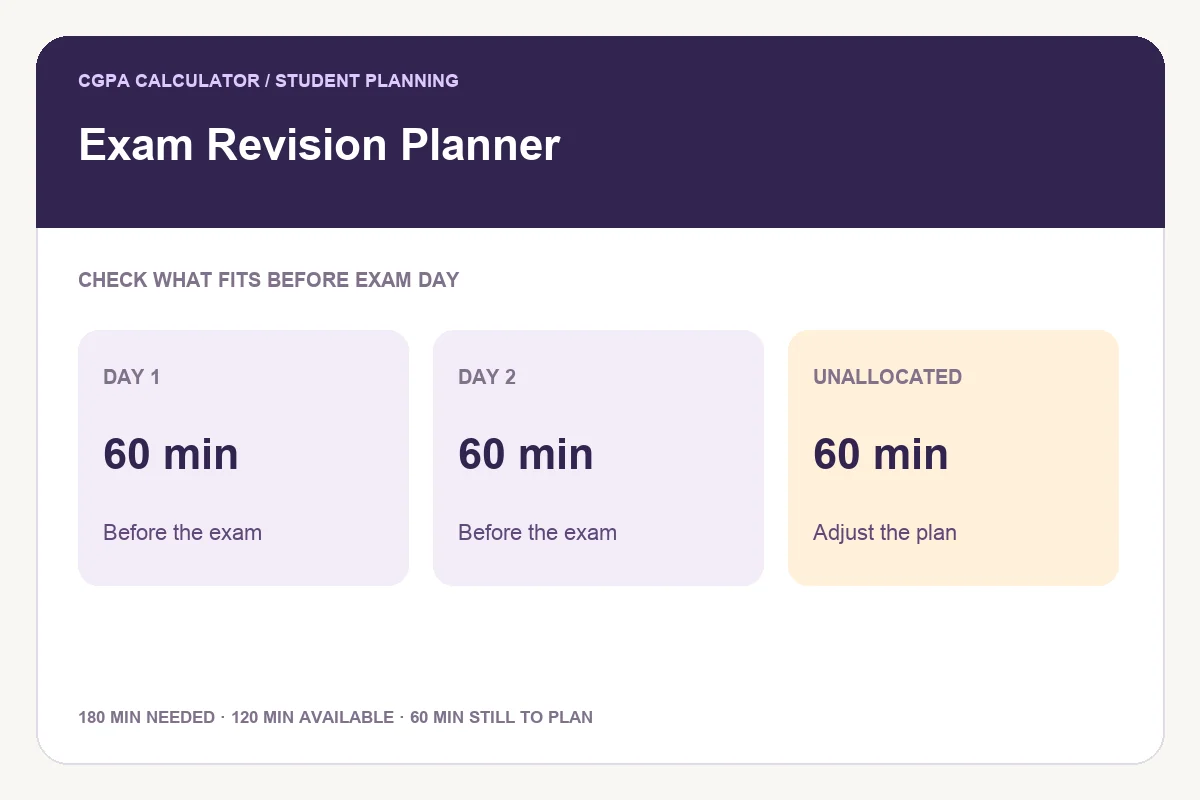
With two study days before an exam and capacity of 60 minutes per day, only 120 minutes fit. A topic estimated at 180 minutes leaves 60 minutes unallocated. An earlier start or a revised workload is needed; the planner does not silently place study after the exam.
Turn the schedule into active revision
Use a session to recall concepts without notes, solve a problem or answer a practice question. Then check your work and revise the weak parts. A slot in a timetable is time reserved for learning, not proof that the topic has been mastered.
How dates and priorities are handled
The schedule uses calendar dates and reserves no work on the exam date for that topic. It supports a planning horizon of up to 90 days per topic. Priority changes order only when exam dates tie; it does not invent additional daily capacity. All days have the same entered capacity.
Capacity is study time, not the whole evening
If you can spend two hours including breaks, enter the actual study minutes available within that window. The tool does not assign clock times or breaks. Use the study timetable builder to place the dated workload around your real commitments.
Save and export
Save stores the plan only in this browser. The complete PDF and printable report include dates, allocations and unallocated work. PNG reports are capped at 240 lines with an explicit preview label when needed. Share lets you review whether topic names and exam dates are included.
Frequently asked questions
Does the planner guarantee spaced repetition?
No. It rotates available topics within each day’s capacity, but does not enforce a particular gap between repeated sessions. Review the schedule and spread practice where practical.
Why does some workload remain unallocated?
The estimated study time cannot fit before one or more exam dates at the entered capacity. The remainder stays visible rather than being moved after the deadline.
Can I include an exam on the start date?
No. Study is allocated only before the exam date, so each exam must be at least one day after the start.
These tools provide planning estimates. Your institution’s current academic regulations, grading policy and official records take priority.