How to Track Syllabus Progress With Meaningful Weights
A progress percentage is useful only when you know what it represents. Build a topic checklist with consistent weights, then use it to decide what deserves attention next.
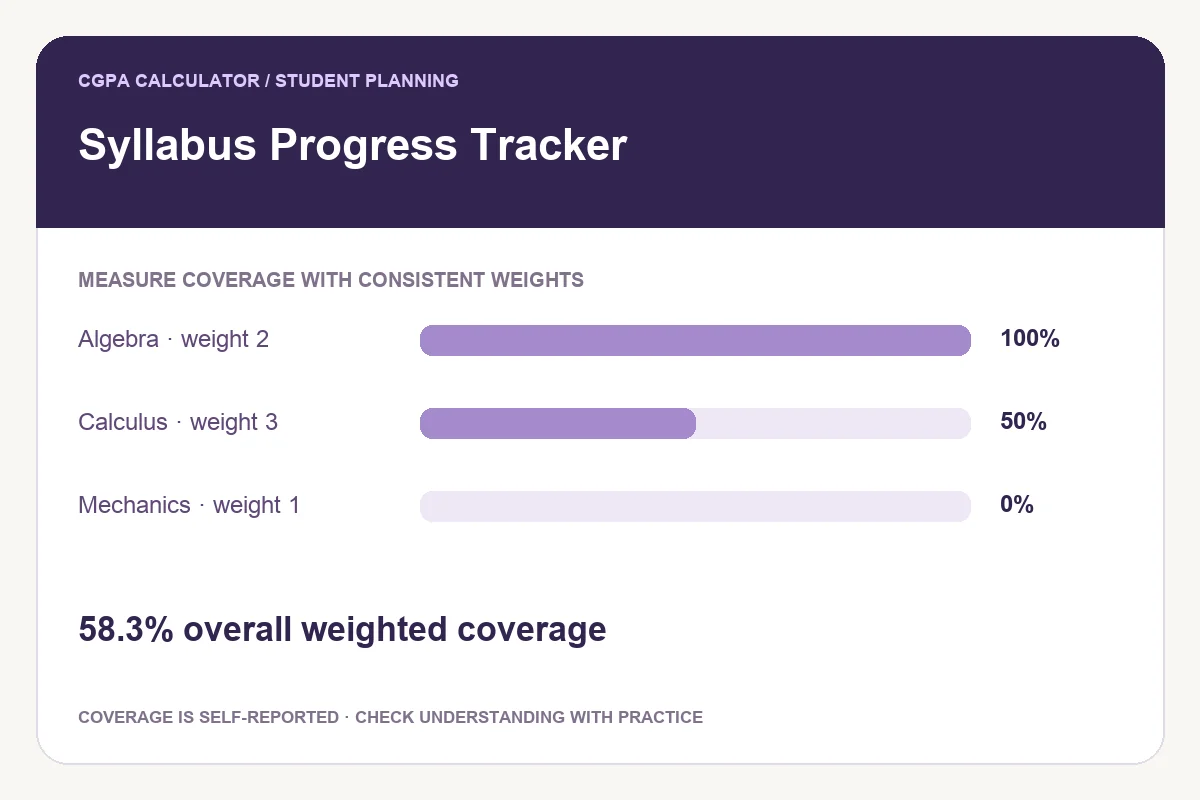
Define what progress means before entering percentages
Decide what a progress entry represents in your own workflow. It might mean completion of reading, notes and assigned exercises. Use that definition consistently. Otherwise, 50% in one subject may describe something very different from 50% in another.
Keep understanding separate from coverage. Finishing a chapter does not establish that you can solve its questions unaided. Practice and recall can reveal work that a coverage checklist misses.
Break the syllabus into comparable topics
Use subject names to group related entries, then divide large chapters into manageable topics. The tracker counts an entry as complete only at exactly 100%. A 99% entry still contributes to weighted progress but is not counted as a completed topic.
Choose one basis for the weights across the whole tracker. Estimated study hours are one option; equal weights of 1 are another. Do not mix hours for mathematics with examination marks for physics and expect the combined number to have a clear meaning.
Calculate a weighted example
Imagine one topic has weight 3 and is 25% complete. Another has weight 1 and is 100% complete. The weighted result is (3×25 + 1×100) ÷4 =43.75%, displayed as 43.8%. One of the two topics is complete.
A simple average of 25% and 100% would be 62.5%, but that gives the small topic the same influence as the larger one. Use equal weights when equal influence is what you intend.
| Topic | Weight | Progress |
|---|---|---|
| Larger topic | 3 | 25% |
| Smaller topic | 1 | 100% |
| Weighted coverage | Total weight 4 | 43.8% displayed |
Read subject and overall totals correctly
The overall percentage combines all topic weights. It can differ from the simple average of subject percentages when subjects have different total weights. A large unfinished subject should have a larger effect when your chosen weighting system says it contains more work.
Keep the weights reasonably stable when comparing progress over time. Changing the size of a topic changes its influence even if the amount of work completed has not changed.
Use the checklist to choose an action
Review incomplete topics and identify one concrete task for each. Estimate the remaining time in the revision planner, then reserve weekly slots in the timetable builder. These tools remain separate; changes in one do not automatically update another.
Save to the current browser, and export a PDF when you need a portable snapshot. A share preview lets you decide whether to include subject and topic names. The saved local plan is not an online account or cross-device backup.
Try the syllabus progress tracker
Enter your own values below, or open the full syllabus progress tracker page for its complete usage guide.
Further reading on effective studying
Reviewed on October 24, 2026.
Worked examples use simplified calculation models. Check your institution’s current regulations, grading scale, rounding rules and official records before relying on a result.