FREE STUDENT CALCULATORS
Study Timetable Builder
Create a weekly study routine with named sessions, days, start times and durations. The builder checks overlaps and totals your planned study time before you export.
Plan around classes, travel, sleep and other commitments. Add realistic sessions for practice, reading and review, then adjust the routine as your workload changes. This is a recurring weekly timetable; it does not create calendar reminders or automatically reserve time.
Use the study timetable builder
How to use the study timetable builder
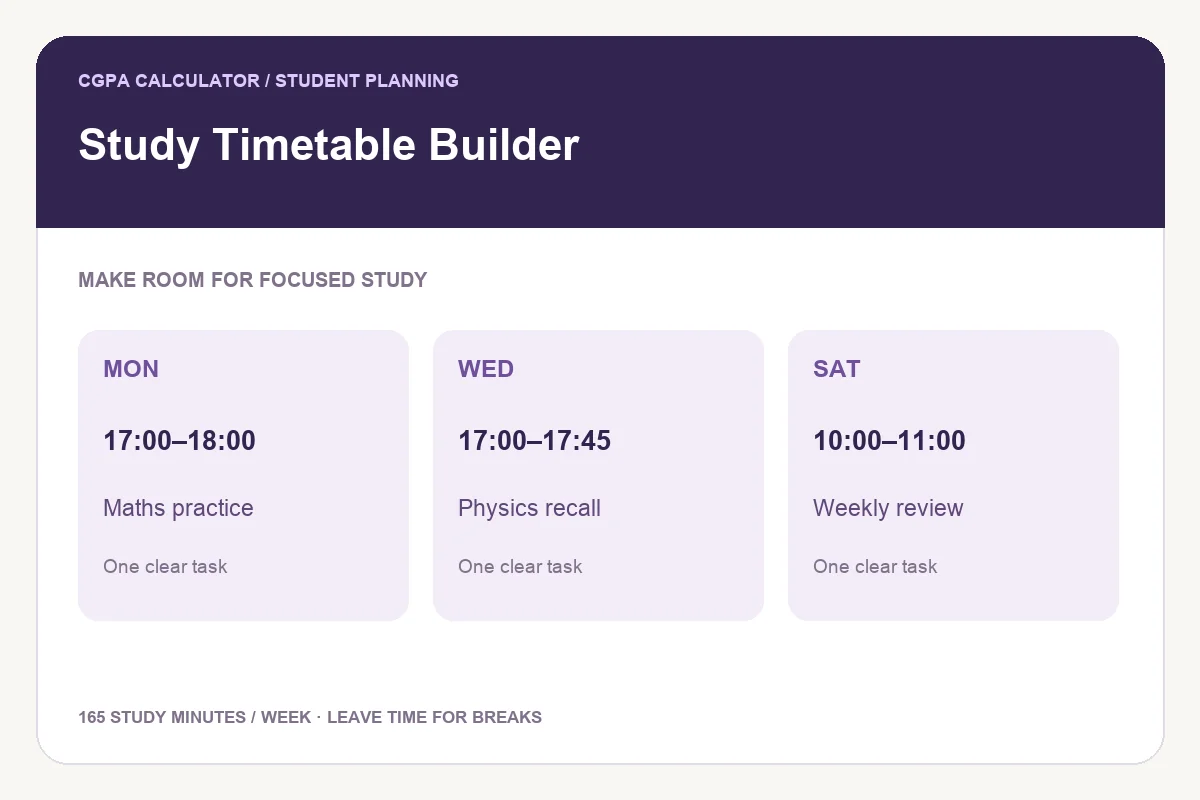
- Add a session name, select a weekday, enter a 24-hour start time and choose its duration in minutes.
- Repeat for the sessions you want in your weekly routine. Leave gaps for breaks, meals and travel.
- Resolve any overlap warning. Two sessions may touch at the boundary, but may not occupy the same minutes on the same day.
- Review weekly hours, session count and active study days. Save in this browser to resume on the same device.
- Download the complete PDF, print the report, save a PNG or open Share to review the tool link or your current plan.
Formula and calculation method
Weekly study minutes = sum of session durations. A session ends at its start time plus duration. Sessions overlap if the next session starts before the previous one ends on the same day.
Worked example
Mathematics on Monday from 17:00 for 60 minutes ends at 18:00. A second Monday session at 17:45 overlaps; move it to 18:00 or later. Three sessions of 60, 45 and 60 minutes total 165 minutes, or 2.75 hours per week.
Build a routine you can repeat
Reserve manageable study periods and decide what you will do in each one. A session called “solve five algebra problems and check errors” is easier to act on than “study more”. The tool totals only the sessions you enter; it does not know your class timetable.
Local saving and privacy
Save in this browser stores this tool’s entries on the current device and browser. No account is required, and the tool does not send the plan to our server. Another browser or private window may not have the saved copy. Clearing website data removes it. Keep a downloaded copy if the plan matters.
Share only what you intend
Share starts with the public tool link. Including the plan adds your session names and times to the preview. Review those details before sharing. Very long PNG reports show a labelled preview; the PDF contains the complete plan.
Frequently asked questions
Can I use it as a daily study planner?
Yes. Add sessions on just one weekday for a daily routine, or spread them across the week.
Does it prevent scheduling conflicts with my classes?
It checks overlaps between sessions entered here. Add or account for outside commitments yourself; the tool cannot read your calendar.
Will my timetable sync to another device?
No. Browser saving is local to this browser and device. Export a PDF or image to take the plan elsewhere.
These tools provide planning estimates. Your institution’s current academic regulations, grading policy and official records take priority.